
Google Business Profile Categories: How to Choose Yours
If you could change only one thing on your Google Business Profile, it should probably be your category. It is a tiny field, hidden in the editing menu, and it has a bigger influence on whether customers find you than almost anything else on the profile. At Bolder Digital, we regularly see businesses that are good at what they do but invisible for the searches that matter, simply because they picked a vague primary category years ago and never looked at it again. Here is how Google Business Profile categories work, how to choose yours, and what to avoid.
What Categories Do
Your categories tell Google what your business is. Google uses them to decide which searches your profile should appear for, and some categories also unlock extra features on your profile. Google’s own example shows how it works. A business with the primary category “Pizza restaurant” might appear for searches such as restaurants, Italian restaurants, or pizza.
There are two types.
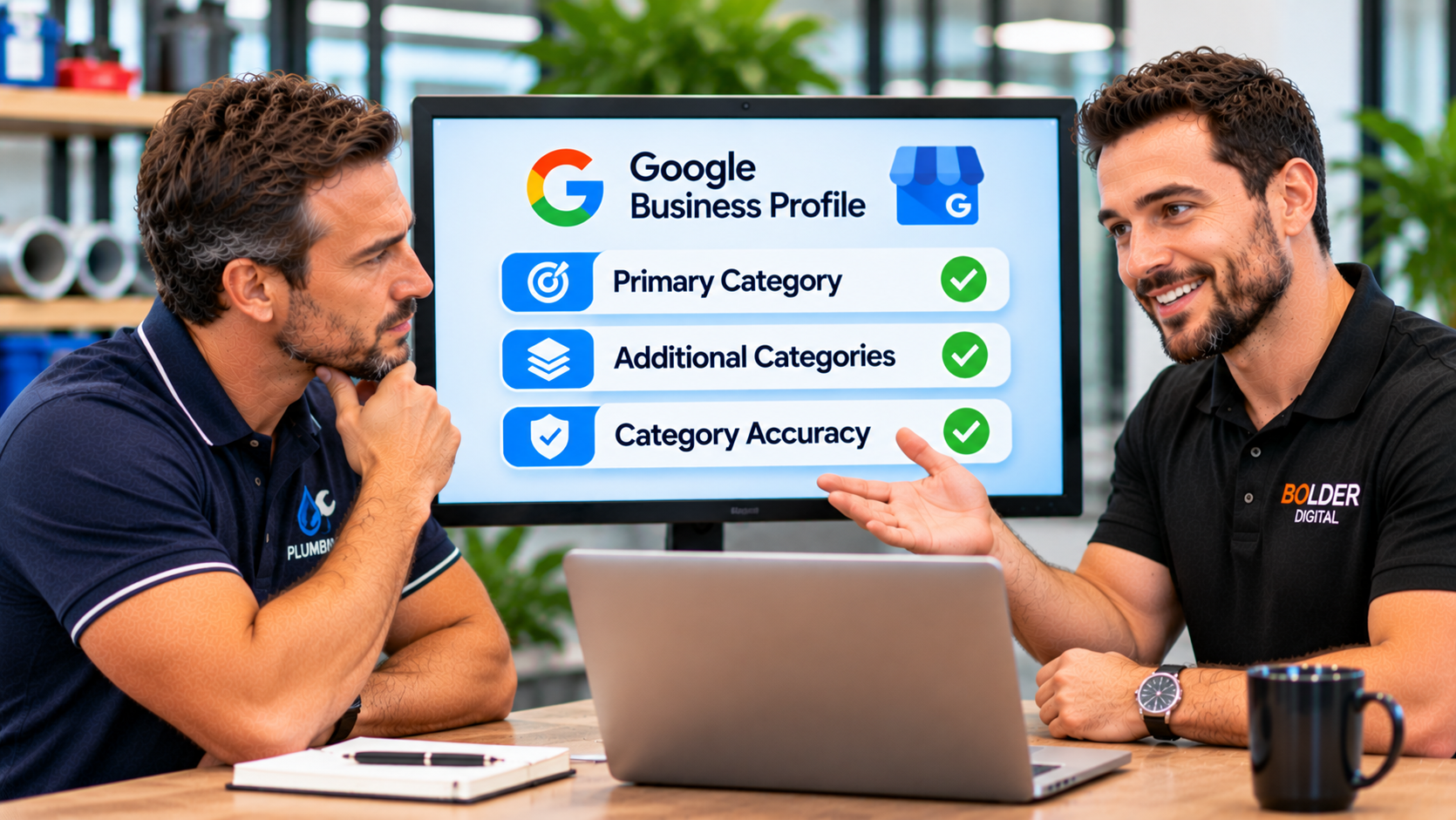
Primary category:the one that best describes your core business. You must choose one.
Additional categories:optional extras for other things your business genuinely is. The profile editor accepts up to nine, which makes ten in total.
Usually, only the primary category is shown prominently to customers, but all of them feed Google’s understanding of your business.
Why the Primary Category Matters So Much
In Whitespark’s 2026 Local Search Ranking Factors survey, 47 local search experts scored 187 factors, and the primary Google Business Profile category came out as the top factor for the local pack and Maps. Additional categories also scored well, ranking in the top ten. It is worth remembering that this is an expert survey, not a statement from Google, but it matches what we see in practice. A wrong or vague primary category can hide you from the searches you most want.
Google’s Own Rules
Google’s guidelines are short, and worth following closely.
Use as few categories as possibleto describe your overall core business.
Choose categories that are as specific as possible,while staying representative of your main business.
You cannot invent a category.You must choose from Google’s list. If the exact one you want does not exist, choose a more general one that still describes you.
Specific includes general.If you choose a specific category such as “Golf resort”, Google implicitly counts the broader ones, such as hotel and golf course, so you do not need to add them as well.
The “Is” Test
A helpful rule of thumb, drawn from Google’s guidance, is to ask whether the category completes the sentence “This business is a...” and not “This business has a...”.
A hotel with a restaurant is a hotel. It has a restaurant, so it should not add “Restaurant” as a category.
A grocery store with a bakery section can use “Grocery store” as its primary category, and add “Bakery” as an additional category, because the bakery is a real part of the business.
A cafe that sells some cakes is a cafe, not necessarily a bakery.
Categories are not for listing every service, product, or feature. They describe what you are.
How to Choose Your Primary Category
Write down your core business in one sentence.What do most customers come to you for, and where does most of your income come from?
Search Google’s category list for the most specific match.For example, “Pizza restaurant” beats “Restaurant”, and “Nail salon” beats “Beauty salon”, if that is really what you are.
Check what the top local competitors use.Look at the businesses that appear first for the searches you want. Browser extensions and local SEO tools can show their categories. Use this as a clue, not as an instruction to copy.
Match it to your website and services.Your category, your website headings, and your services list should tell the same story.
Choose the true category, not the one with the most search volume.Accuracy comes first.
How to Choose Additional Categories
Add a secondary category only if it passes three tests.
It describes a real, significant part of what you do.
It is not already covered by a more specific category you have chosen.
You can genuinely deliver it at this location.
Most businesses need only a few. Every extra category slightly dilutes your focus, so more is not better. Guides on the topic commonly suggest around five or fewer in total, though Google’s guidance is simply to use as few as possible.
Examples to Illustrate the Idea
These are examples only. Check the current category list before choosing.
Plumber:primary “Plumber”, with additional categories such as a gas installation service or a water heater installation service, if you really do that work.
Dental practice:primary “Dentist”, with additional categories such as “Emergency dental service” or “Cosmetic dentist” only if they are real parts of your service.
Cafe:primary “Cafe” if you serve food and drinks, or “Coffee shop” if coffee is the main business, with a category such as “Bakery” only if you really bake and sell as a bakery.
Accountant:primary “Accountant”, with an additional category such as tax preparation if it reflects a major part of the work.
Grocery store:primary “Grocery store”, with “Bakery” and “Deli”, as in Google’s own example.
Categories and Features
Some features depend on your category. For example, certain profile features, such as appointment links, are available only for particular primary categories. That is useful to know, but never choose a category just to unlock a feature. Choose the true category first, and then see which features come with it.
Service Area Businesses
If you travel to customers, such as a tradie, a cleaner, or a gardener, categories matter even more. You have no shopfront to help customers recognise you, so your category, services, and service areas do much of the work. Choose a specific primary category, add the services you really offer, and set your service areas honestly.
Common Mistakes
A vague primary category.Choosing something general, such as “Contractor” or “Service”, when a specific category exists.
Too many categories.Stacking ten categories to cover every possibility makes your profile less clear.
Categories you do not deliver.Adding a category for a service you do not really offer risks poor customer experiences and a weaker profile.
Using categories as keywords or attributes.Categories are not a place to describe features such as wheelchair access or free parking. Those have their own attribute fields.
Copying a competitor blindly.Their business may be different to yours.
Changing the primary category on a whim.Each change can shift your visibility, so change it deliberately and watch the results.
Never reviewing it.Google adds and retires categories, and your business changes over time.
How to Change Your Categories
Sign in to your Google Business Profile, open the editing menu for your business information, and find the category field. Click edit next to the primary category, choose from the suggestions, and add or remove additional categories. The exact menu labels change from time to time, but the field is always in the main business information section.
Test Before and After
If you change your primary category, record where you stand first. Note your calls, direction requests, and where you appear for your main searches, and then check again over the following weeks. A change can help or hurt, and the only way to know is to measure it. If a change hurts, you can usually switch back.
Keep an Eye Out for Unwanted Edits
Profiles can be changed by others through suggested edits, and Google sometimes updates information itself. Check your categories every month or so, and make sure nothing has been altered without your knowledge.
Categories Work With the Rest of Your Profile
A category does not work alone. It does its best work alongside:
a clear business description that mentions what you do and where
a full list of services, with plain descriptions
accurate hours, photos, and attributes
steady genuine reviews
a website whose headings and pages match your category
Our Google Business Profile optimisation checklist covers the other fields in detail.
A Quick Checklist
My primary category is the most specific true description of my core business.
I have added only additional categories that are real and significant.
I have not used a category as a keyword or an attribute.
My categories match my website and services.
I have checked what the top competitors use, without copying blindly.
I recorded my results before any change, and will check again afterwards.
I review my categories every few months.
How Bolder Digital Helps
At Bolder Digital, we review your current categories against your real services, your competitors, and what customers actually search for. We then correct them, tidy the rest of your profile, and track the results. You can read more about our Google Business Profile optimisation service.
The Bottom Line
Your Google Business Profile category is a small field with a large effect. Choose the most specific primary category that truly describes your business, add only the extra categories that are real, follow Google’s rules, and measure what happens when you change something. Get this one field right, and the rest of your profile has a strong foundation to work from.

Frequently Asked Questions
How many categories can I have on my Google Business Profile?
One primary category and up to nine additional ones, ten in total. Google asks you to use as few as possible to describe your core business, so most businesses need only a handful.
Which category is the most important?
The primary category. In Whitespark’s 2026 expert survey, it was the top rated factor for the local pack and Maps. That survey is not a statement from Google, but it is widely accepted in local SEO.
Can I create my own category?
No. You must choose from Google’s list. If the exact category you want does not exist, choose a more general one that still describes your business.
Should I copy my competitors’ categories?
Use them as a clue, not an instruction. Look at what the top performing local businesses choose, then pick the categories that truly describe your own business.
What happens if I change my primary category?
It can change which searches you appear for, and which features are available, for better or worse. Record your results before you change it, and check again afterwards.
Jarryd Holmes, Founder & Owner, Bolder Digital | Prospect Vale, Tasmania |bolderdigital.com.au