AI Chatbot First Message: Writing the Line That Actually Gets a Reply
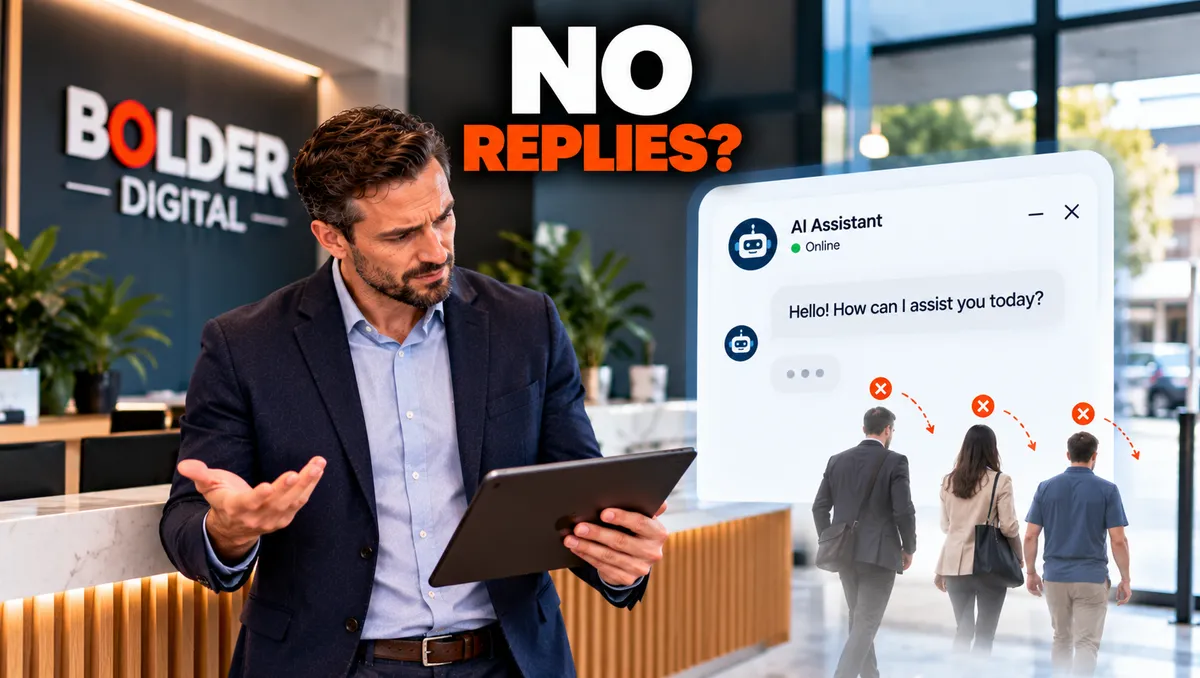
A chatbot can have the best knowledge, the smartest booking flow, and the neatest integrations, and none of it matters if nobody replies to the first message. It is the one line you completely control, and it decides whether the rest of the chatbot ever runs. At Bolder Digital, we spend more time on those first twenty words than on almost anything else, because a small change there can change how many people start talking at all.
What the First Message Has to Do
A good opening message does three jobs in very few words.
Say who is talking. It tells the visitor this is an AI assistant for your business.
Say what it can do. Specifically, not vaguely.
Make replying easy. It ends with one clear question or a few tap options.
Guides on welcome messages agree on this structure: identify yourself, state what you can help with, and end with a clear next step. Most also recommend keeping it to one or two short sentences, since many visitors are on a phone.
Why “Hi! How Can I Help?” Often Fails
The default greeting is friendly and almost useless. It makes the visitor do all the work. They have to work out what the chatbot can do, decide what to ask, and type it out. Many simply will not.
Other common mistakes:
“Welcome to our website!” States the obvious and invites nothing.
A long introduction. Nobody reads it on a phone.
A menu of eight options. Too much choice is as bad as none.
Pretending to be a person. It risks trust, and honesty rules apply, as we covered in our persona piece.
Overpromising. “Ask me anything” sets up a failure.
Asking for an email address straight away. It feels like a form, not help.
Leading with a discount. It can look desperate before the visitor even knows what you do.
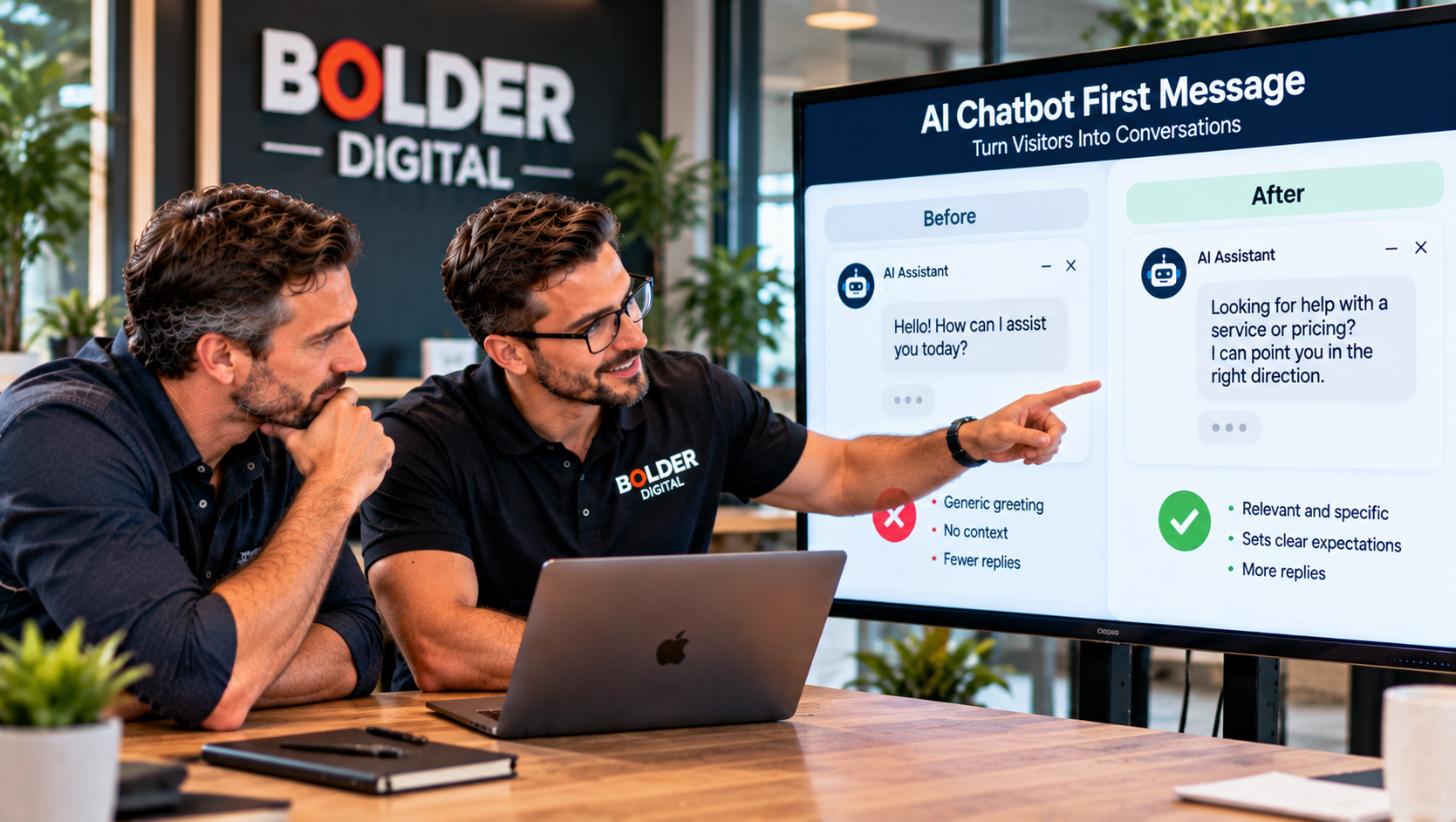
Lines That Work Better
Here are templates for different businesses. Swap in your own name and what the chatbot can really do.
A tradie:
“Hi, I’m the AI assistant for Smith Plumbing. I can book a call out or explain how we work. What’s the problem?”
Buttons: Leak or burst pipe, Hot water, Blocked drain, Something else
A salon:
“Hi, I’m the AI assistant here. I can check available times and book you in. What would you like to book?”
Buttons: Cut and colour, Nails, Something else
A restaurant:
“Hi, I’m the AI assistant. Would you like to book a table or check tonight’s hours and menu?”
A professional firm:
“Hello, I’m the AI assistant for Smith & Co. I can help you find the right service or arrange a time with one of our team. Please don’t share sensitive details here. What are you looking for?”
A gym:
“Hi, I’m the AI assistant for the gym. Are you after memberships, class times, or a free trial?”
After hours:
“Hi, I’m the AI assistant. The team has finished for the day, but I can book you in or take a message, and someone will reply in the morning.”
A returning visitor:
“Welcome back. Would you like to pick up where you left off, or start something new?”
Notice what they share. Each says who it is, names real tasks, and ends with something easy to answer.
Match the Message to the Page
A single greeting across the whole site wastes a lot of chances. Change the message to suit what the visitor is looking at.
Homepage: a short orientation with three or four options.
Service page: a question about that service, such as “Want a rough idea of cost for a hot water replacement?”
Pricing page: an offer to explain what affects the price.
Contact page: “Prefer to chat instead of filling in a form?”
Booking page: help if the visitor seems stuck.
Blog posts: hold back, or offer help related to the article after the visitor has read a fair way down.
A message that matches the page feels like help. One that does not feels like an interruption.
Buttons or Open Text?
Quick reply buttons lower the effort of replying to a single tap. Platform vendors report that greetings with buttons get noticeably more responses, though the size of the effect varies. A sensible pattern is three or four options plus “something else”, with clear labels that are easy to tap on a phone. Use an open question when the topic is varied or personal, and where you want the visitor’s own words.
Timing: When Should It Appear?
Advice varies. Some guides suggest showing a proactive greeting five to ten seconds after the page loads. Others recommend waiting fifteen to thirty seconds, or longer on content pages, and a number prefer triggering on behaviour, such as scrolling a good way down the page, or showing signs the visitor is about to leave.
The safe principles are:
Do not fire the moment someone lands.
Show it once per session, and do not bring it back on every page.
Make it easy to close, and respect that.
On mobile, remember exit intent does not exist, so use time, scroll, or a stall on a form.
Keep the widget small, and never cover a button or a payment field.
Because advice conflicts, treat the numbers as starting points and test with your own visitors.
Tone and Honesty
The tone should sound like your business. Plain, friendly Australian English works for most. Avoid corporate phrases such as “How may I assist you today?”, go easy on emojis, and never pressure. Always make clear it is an AI. If the chatbot hands over to a person, say so only when that is true. Claiming “someone from our team is here now” when nobody is online breaks trust.
For sensitive industries, add a short line asking visitors not to share personal or confidential details, and link to your privacy information.
How to Test It
You do not need elaborate experiments. Track a few simple numbers, such as how many visitors who see the greeting reply, how quickly they reply, how many reach the goal, and how mobile compares with desktop. Then change one thing at a time:
the wording
the buttons
the delay
the page it appears on
A small business has limited traffic, so run each version for a few weeks before judging. Look beyond the reply rate too. A greeting that gets fewer replies but more bookings is the better one. Our piece on chatbot analytics covers what else to measure.
A First Message Checklist
It says it is an AI assistant for your business.
It names what it can really do.
It is one or two short lines.
It ends with a clear question or three or four buttons.
It changes with the page, and after hours.
It appears once per session, after a sensible pause, and can be dismissed.
It does not ask for contact details first.
It reads well on a phone.
How Bolder Digital Approaches This
At Bolder Digital, we write the opening lines with you, using the tasks your customers actually want to do. We tailor them by page and time of day, add clear buttons, set sensible timing, and test the versions against your real traffic. You can see how this fits into our AI Chatbot service.
The Bottom Line
The first message is a small piece of writing with a big job. Tell visitors who you are, say something specific you can help with, and make replying as easy as a single tap. Match it to the page, time it politely, be honest that it is an AI, and keep testing. A line that earns the first reply earns the chance to do everything else the chatbot can do.
Frequently Asked Questions
What makes a good chatbot first message?
It says it is an AI assistant, names something specific it can help with, and ends with one clear next step, such as a question or a few buttons, in one or two short lines.
Should the first message use buttons or ask an open question?
Buttons make replying a single tap and tend to get more responses, with three or four options plus “something else”. Use an open question where topics vary widely or you want the visitor’s own words.
When should the greeting pop up?
Guides range from a few seconds to over thirty, so test. Do not fire the instant someone arrives, show it once per session, let visitors dismiss it, and consider scroll or page based triggers.
Should I use a different message on different pages?
Yes. A message that matches the page, such as a pricing or service question, feels like help. A generic greeting everywhere feels like an interruption.
How do I know if my first message is working?
Track how many visitors reply, how quickly, and how many reach the goal, such as a booking. Change one thing at a time, and judge by outcomes, not just reply rate.
Jarryd Holmes, Founder & Owner, Bolder Digital | Prospect Vale, Tasmania | bolderdigital.com.au